Google Photos will build you a digital closet from the clothes already in your camera roll. The part people keep hitting is simpler than the pitch. Sometimes the picture it makes of a shirt, a shoe, or a pair of glasses is just wrong, and you are stuck with it.
Android Authority went looking in Google Photos 7.95 and found a "Regenerate image" option that is not switched on for everyone yet. Adamya Sharma and AssembleDebug turned it on in a test build. Open one item, tap the three-dot menu, and the new choice sits between Edit and Help & feedback.
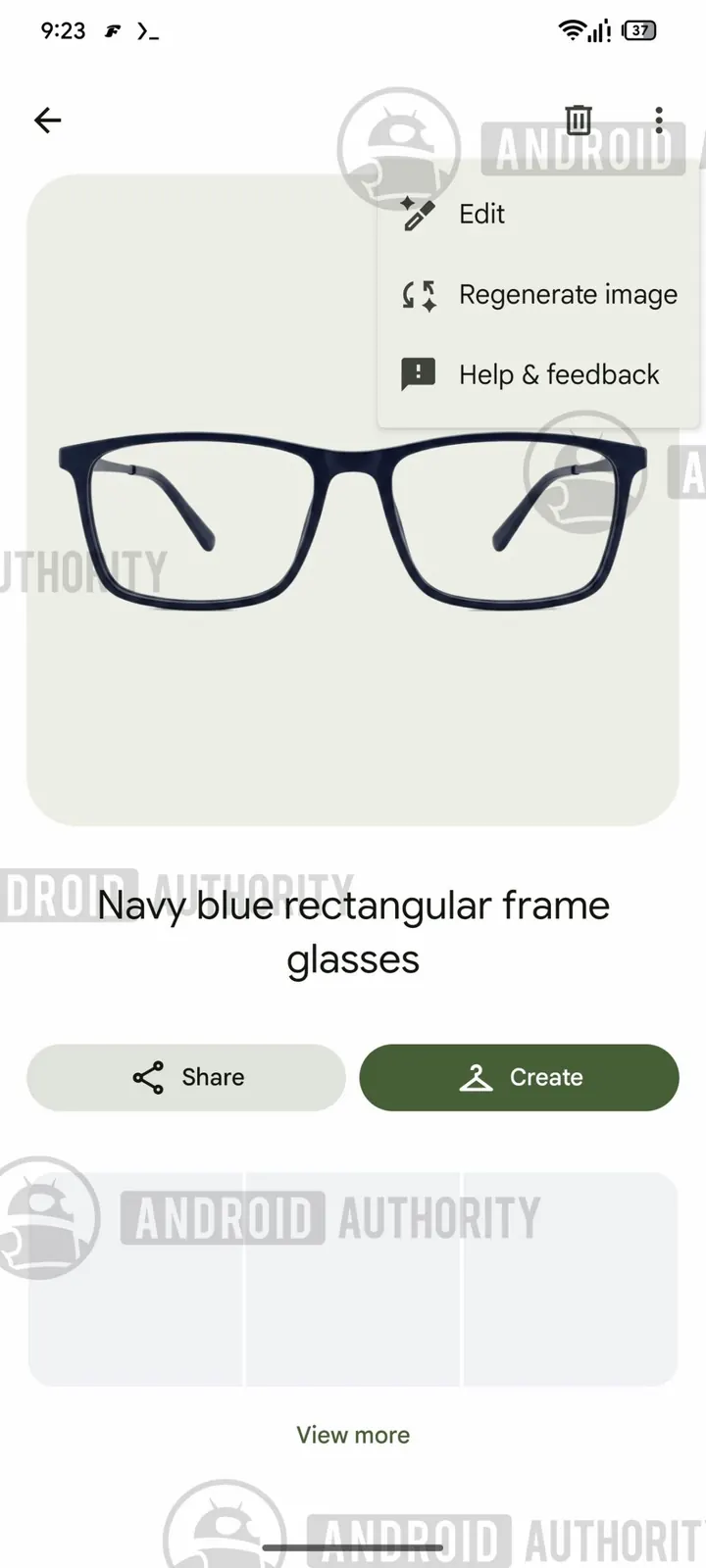
The menu on a pair of navy glasses, in the build Android Authority tested. Screenshot: Android Authority.
Tap it and Photos starts over on that one picture. A line on screen says "Working on it" and "Feel free to leave." You do not have to sit there. The new image keeps generating in the background.
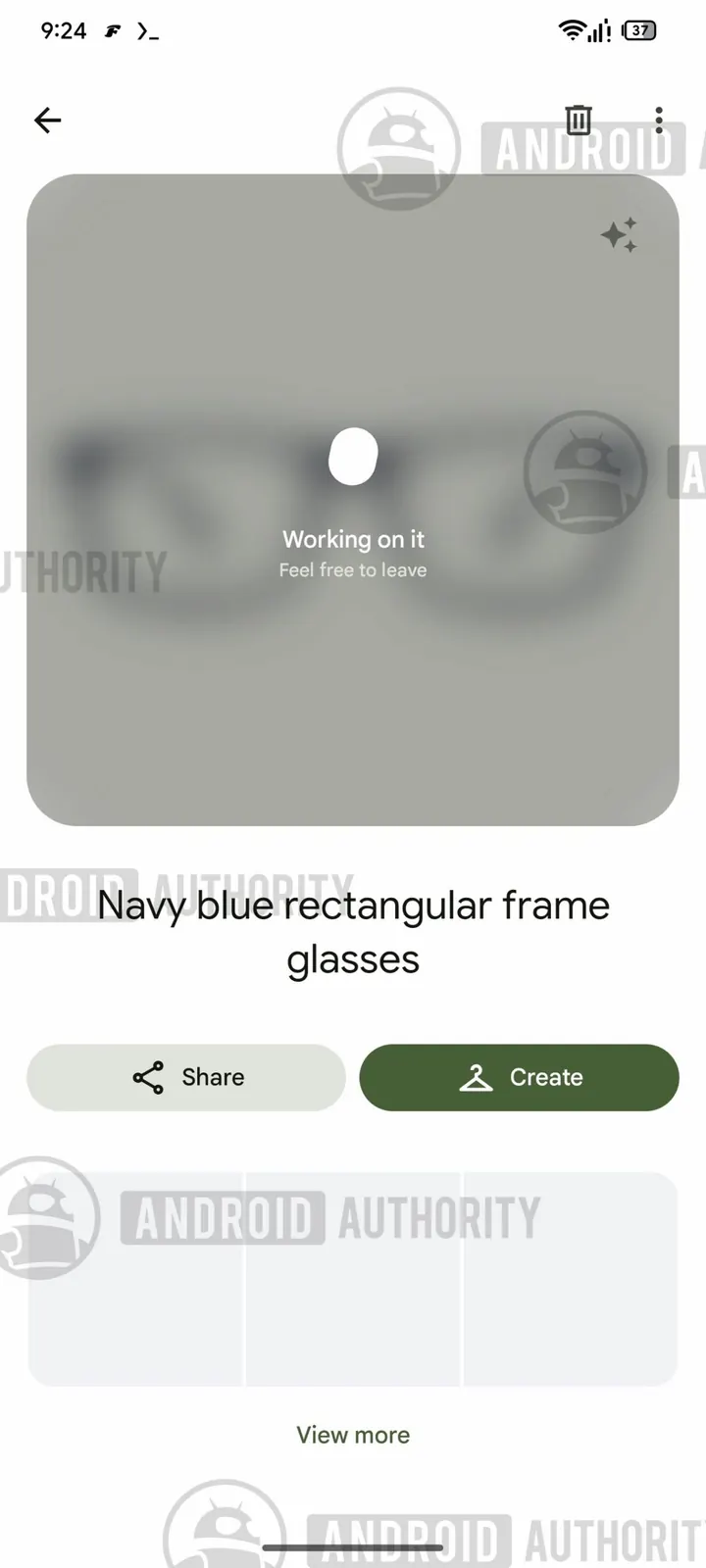
You can leave the page. The redo keeps going. Screenshot: Android Authority.
Why the first picture gets stuck
Wardrobe stores a generated product shot of each item it thinks you own. Google described it in April as a way to filter tops, bottoms, and jewelry, mix a moodboard, then hit Try it on.
The wider rollout reached Android and iPhone this month in the US, Brazil, and India. TechCrunch compared it to Cher's closet app in Clueless. Android Authority's hands-on from a couple of weeks ago already said the generated outfits were the unreliable part. A redo button is the obvious next ask.
A second try can still miss
A second pass is a new guess. Android Authority ran it, and the AI changed the item.
On a pair of glasses, the new image shifted the color a little and added nose pads that were not there the first time. A dark grey button-up got the same treatment. The color moved, and so did the little logo on the chest. The label on the item page stayed the same.
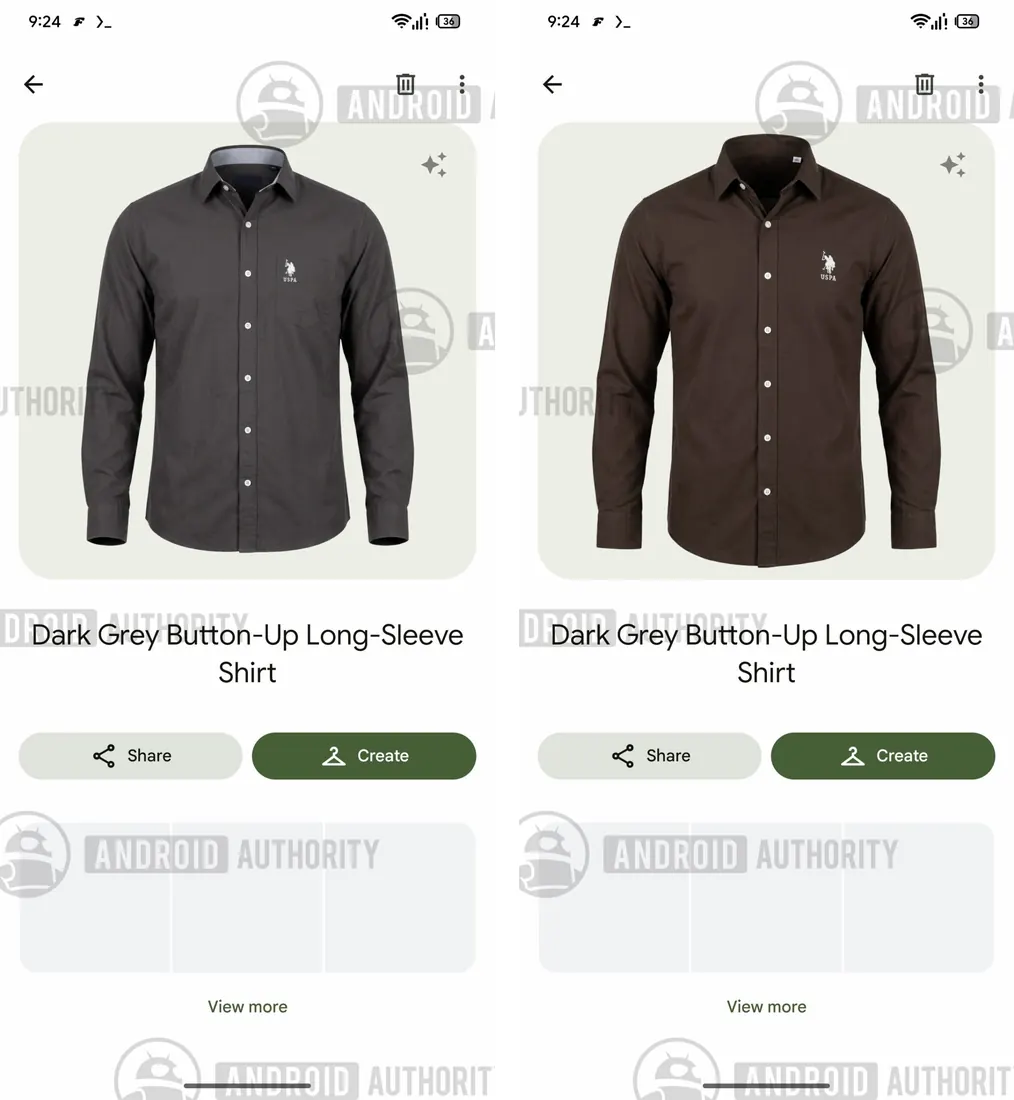
Same "dark grey" shirt, two generations. The color and the chest logo both moved. Screenshots: Android Authority.
So the button can save a bad first pass. It can also hand you something further from the thing in your closet. Nothing in the build they tested shows a way to keep the old picture if the new one is worse.
Try on is only as good as that picture
These shots are what the outfit tool uses. If the closet thinks your shirt is a different brown, the preview of you wearing it starts from that guess.
The same day, Android Authority reported a separate fix in the works: a plus button, so you can add new clothes without wiping the wardrobe and starting over. Tapping it still crashes the app. Neither change is promised. Code in a test build can sit there and never ship.
Google has been in this spot a lot lately. The Gemini app is about to turn custom Gems into skills. And the company's own write-up on PageBreak made a bigger version of the same point: an AI result is not finished until something else has checked it. A pair of glasses that grows nose pads on the second try is the small, annoying version, sitting in your camera roll.
We will update this if the option shows up on regular accounts.
Comments